# Using the Dashboard
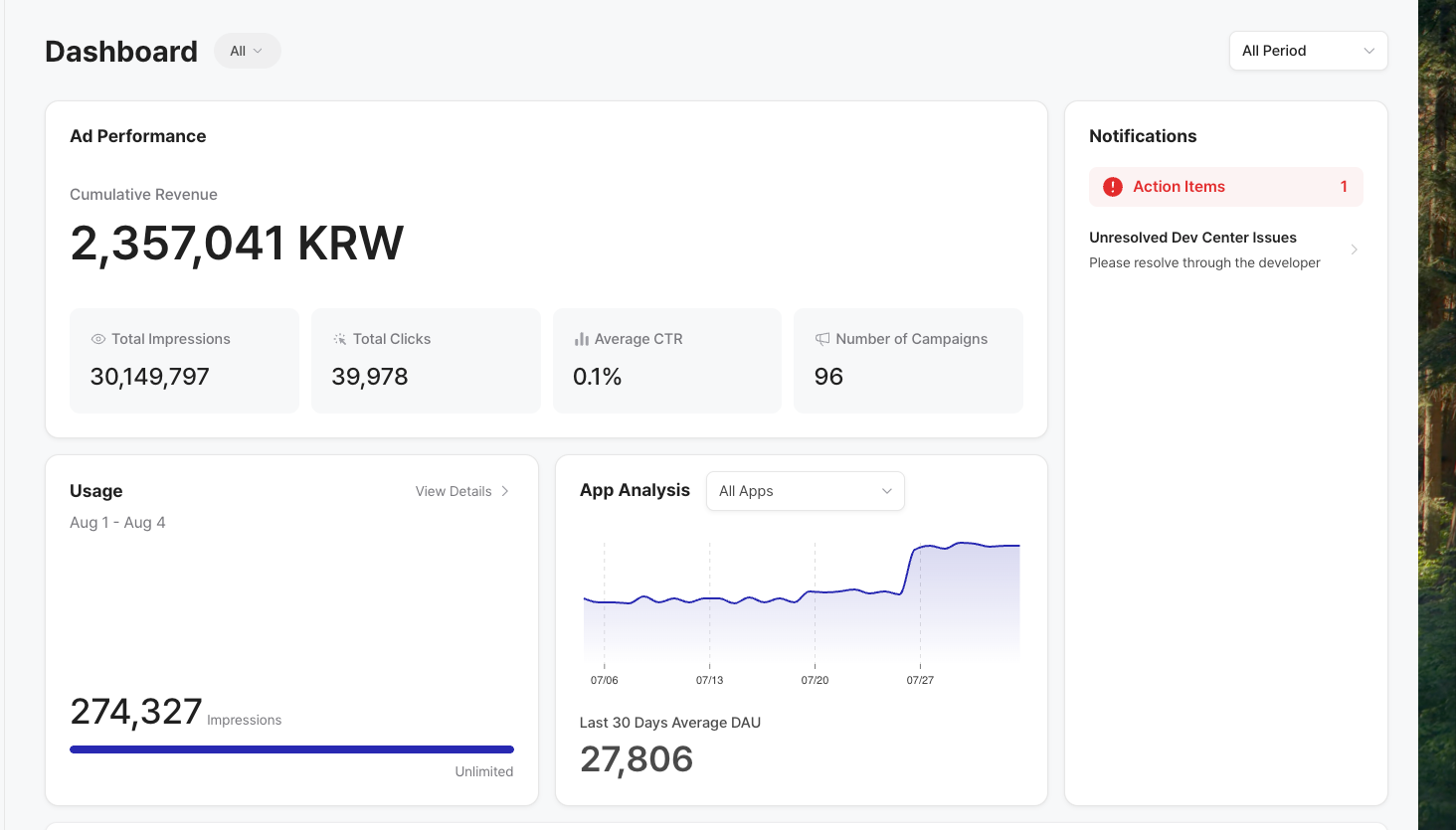
The Dashboard provides a quick overview of your ad performance, usage, app analytics, and pending tasks.
### D**ashboard Overview**
* **Ad Performance**: View cumulative revenue, total impressions, total clicks, average CTR, and number of active campaigns.
* **Usage**: Check how many impressions you've used and upgrade your plan if needed.
* **App Analytics**: Track your DAU (Daily Active Users) by date and the average over the past 30 days.
* **Notifications**: Stay updated on pending actions like creative reviews or ad product uploads and unresolved issues.
### Checking Campaign Settlement Reports
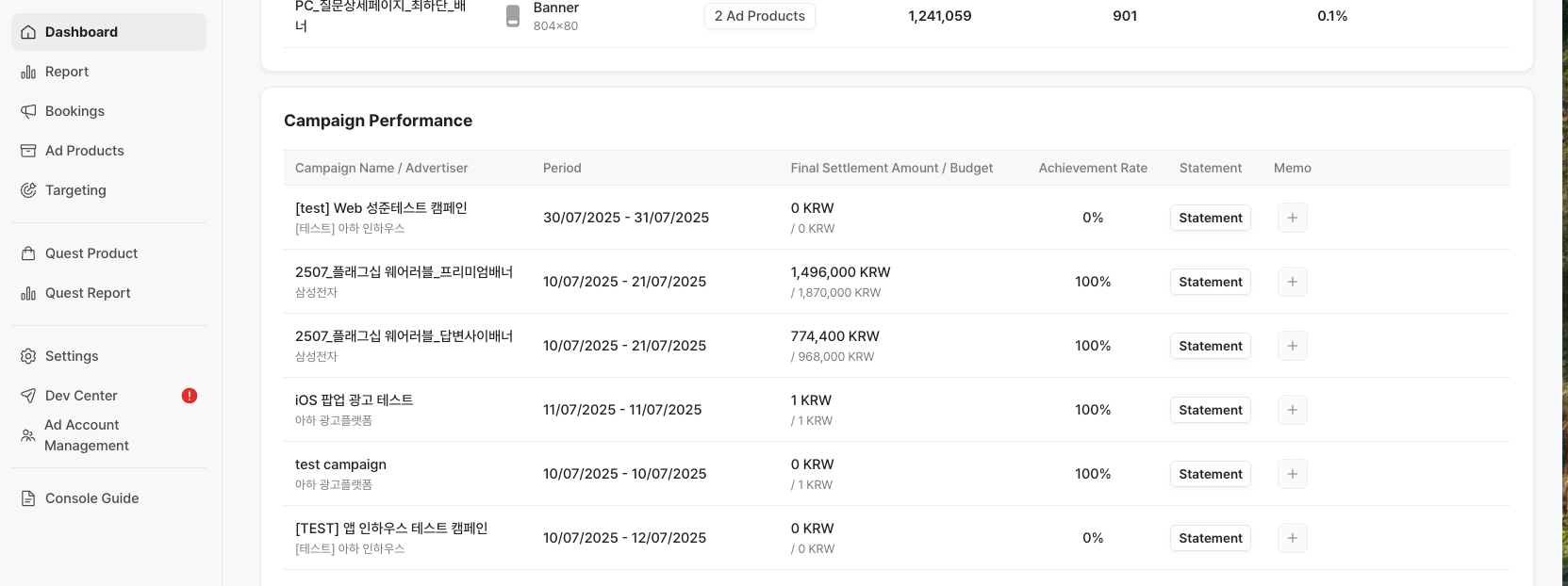
You can check your settlement reports for completed campaigns directly in the Dashboard. These reports help you issue tax invoices if needed.
#### How to Check:
1. Go to the **Dashboard** from the left menu.
2. Scroll down to the **Campaign Performance** section.
3. Click on **`Statement`** next to a completed campaign.
The campaign report includes:
| Category | Description |
| -------------------------------- | --------------------------------------------------------------------------------------------------------------- |
| **Deposit** | Total campaign budget (including VAT). |
| **Unused Cost Refund** | If the campaign didn’t meet its goal, the unused portion is refunded to the advertiser. |
| **Campaign Cancellation Refund** | If the campaign was canceled, the refund is calculated based on the final settlement amount input by the media. |
| **Card Fee** *(Media only)* | 3.2% fee deducted by Toss Payments from the total after refunds (card payments only). |
| **Agency Fee** *(Media only)* | Applied only to agency-managed campaigns. Deducted from the total after refund and card fee. |
4. **Click Print or Export PDF to print or download the Campaign Statement**