# Try a Test Campaign

You can run a test campaign directly from the Adrop console to see how things work before going live.

### H**ow to Run a Test Campaign**

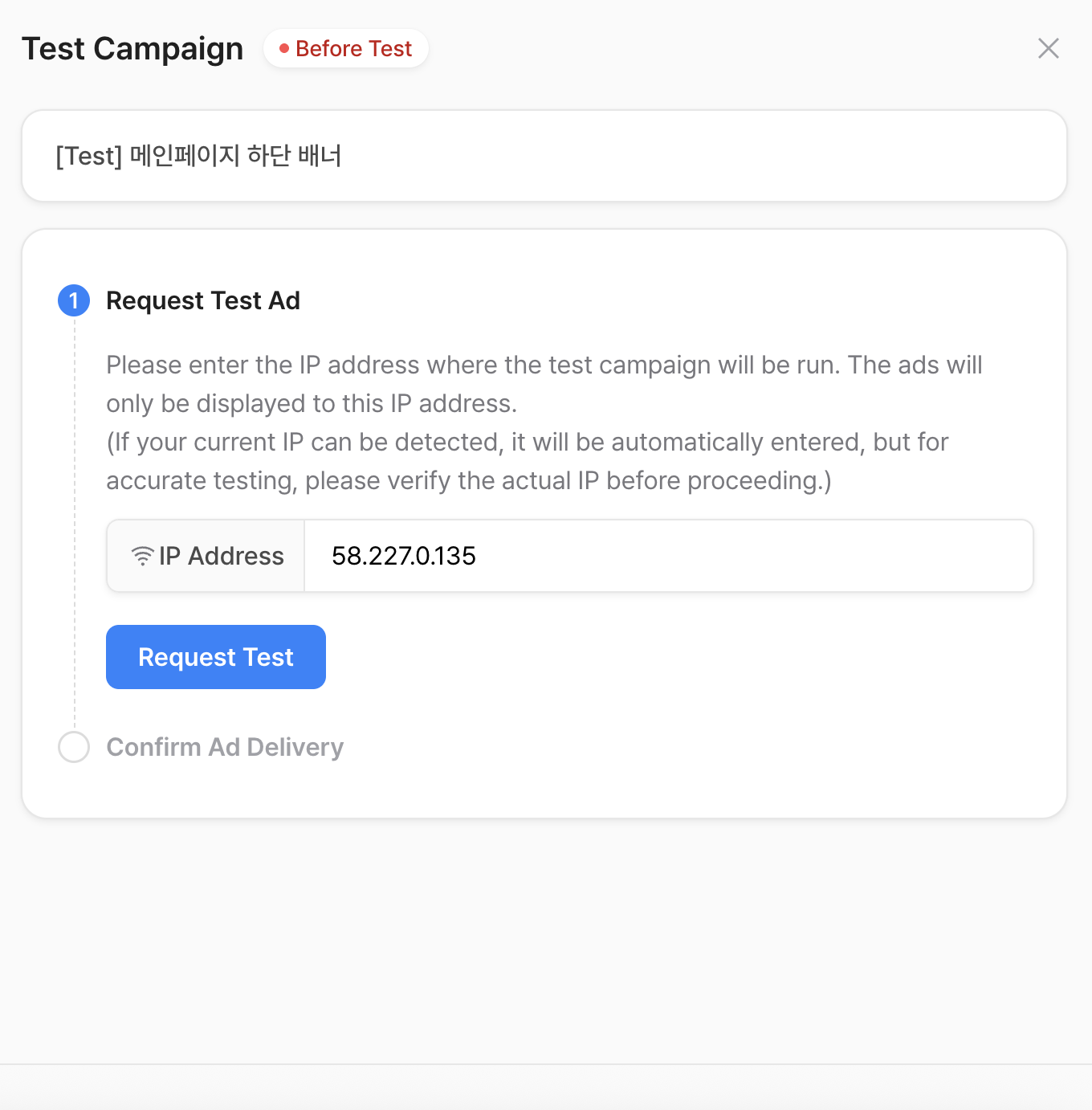
1. Go to the **Dev Center** tab in the console.
2. In **"3. Test Campaign"**, select the campaign you want to test.

<figure><img src="https://1229048154-files.gitbook.io/~/files/v0/b/gitbook-x-prod.appspot.com/o/spaces%2FdbXqzAGZzRMkuFk2wG7Q%2Fuploads%2Flf2ykdKntyOu366olLpU%2FScreenshot%202025-08-05%20at%2011.38.28%E2%80%AFAM.png?alt=media&#x26;token=621a51cb-48a7-4996-b686-4d174fac9b94" alt=""><figcaption></figcaption></figure>

3. Enter the IP address where the test will run.
4. Click “Request Test” to begin.

<figure><img src="https://1229048154-files.gitbook.io/~/files/v0/b/gitbook-x-prod.appspot.com/o/spaces%2FdbXqzAGZzRMkuFk2wG7Q%2Fuploads%2F1J5iAxHsDVMzhIzTptH4%2FScreenshot%202025-08-05%20at%2011.38.19%E2%80%AFAM.png?alt=media&#x26;token=d2967ed1-1982-41f0-b218-808b48e702ea" alt=""><figcaption></figcaption></figure>

Test campaigns are valid for 30 minutes to prevent forgotten or unfinished tests.

While testing, the campaign status will show **“Testing in progress.”**\
5\. To finish, click **"End Test."** The status will then update to **"Test Completed."**

<figure><img src="https://1229048154-files.gitbook.io/~/files/v0/b/gitbook-x-prod.appspot.com/o/spaces%2FdbXqzAGZzRMkuFk2wG7Q%2Fuploads%2Fd8MzTgSWt8mne1a8HQXK%2FScreenshot%202025-08-05%20at%2011.39.59%E2%80%AFAM.png?alt=media&#x26;token=b813c11a-18d3-4d99-a7d8-af1238d43cad" alt=""><figcaption></figcaption></figure>

**Want to test again? Simply select the campaign and click "Reset Checklist."**