# Creating an Ad Unit

### Are you creating your first ad product?

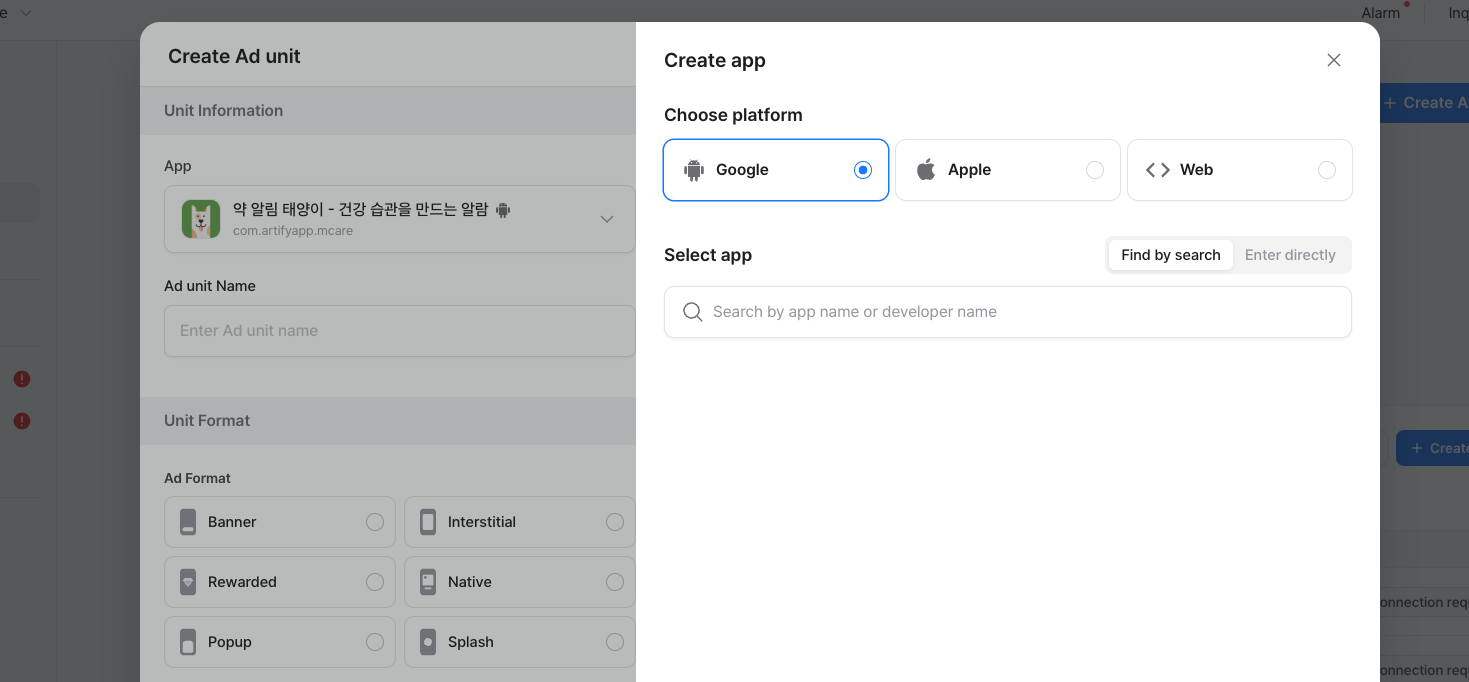
If so, please start by registering your app on Adrop first.

An Ad Unit is a specific place in your app where ads will be shown. One app can have multiple ad units, each with different sizes and ad types.

To create an ad unit:

1. **Go to Ad Console and click Ad products and create Unit.**

<figure><img src="https://1229048154-files.gitbook.io/~/files/v0/b/gitbook-x-prod.appspot.com/o/spaces%2FdbXqzAGZzRMkuFk2wG7Q%2Fuploads%2FMrWmWeTrGLVDtck6OWIp%2FScreenshot%202025-08-01%20at%206.16.19%E2%80%AFPM.png?alt=media&#x26;token=c4a32ef7-e062-409a-9ccc-c45ed9c56231" alt=""><figcaption></figcaption></figure>

(You can also create ad units while making an ad product.)

2. **Select the app or service where you want to show the ads.**

<figure><img src="https://1229048154-files.gitbook.io/~/files/v0/b/gitbook-x-prod.appspot.com/o/spaces%2FdbXqzAGZzRMkuFk2wG7Q%2Fuploads%2Ff3wLKiE6YNNz2OTgV72n%2FScreenshot%202025-08-01%20at%206.17.20%E2%80%AFPM.png?alt=media&#x26;token=ff539443-f431-4432-8a5e-a641c237c11e" alt=""><figcaption></figcaption></figure>

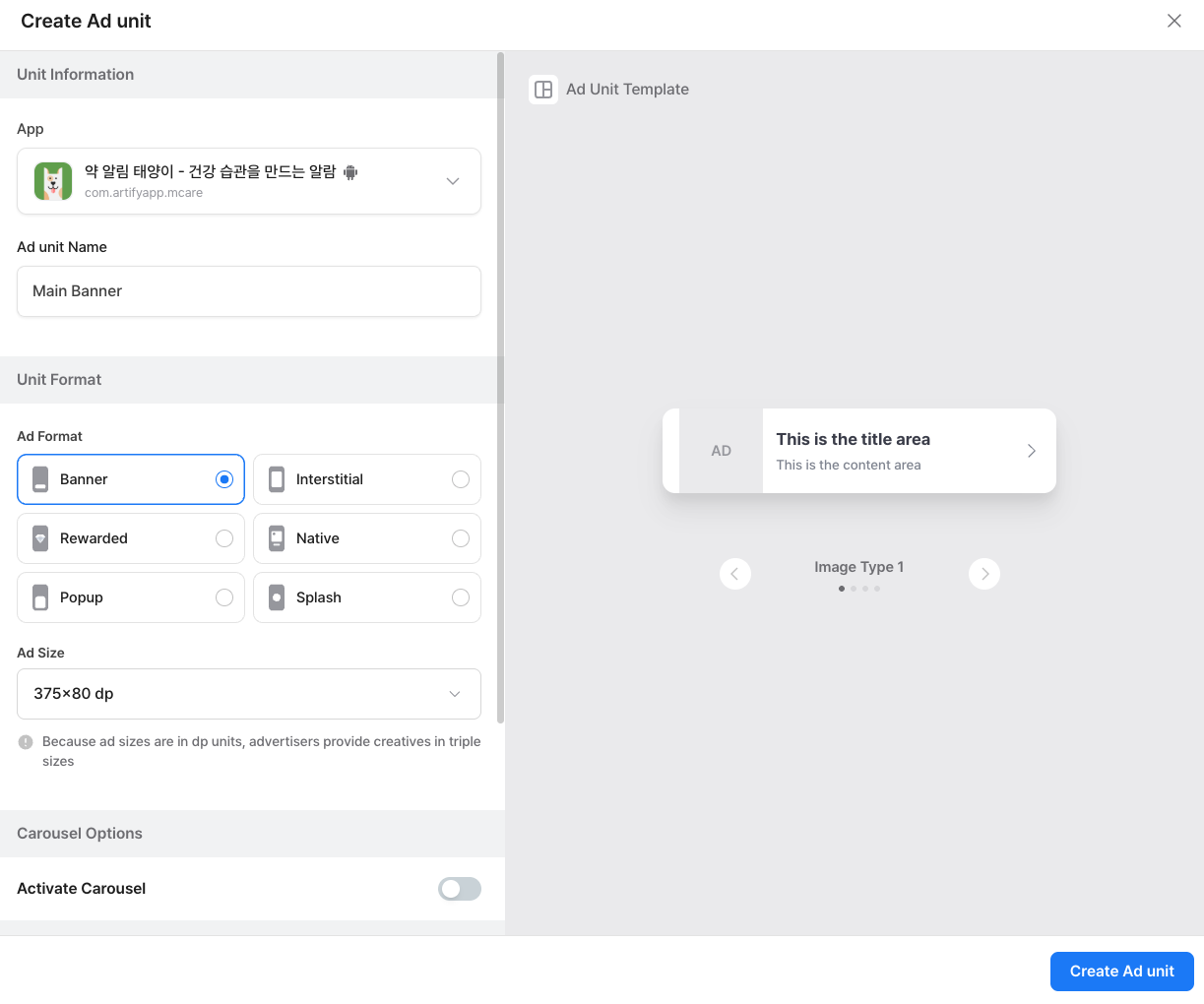
2. **Please enter the ad unit name so that the information about where the ad will be displayed is clear.**
3. **Select the ad unit format. You can preview sample layouts for each format before choosing**

<figure><img src="https://1229048154-files.gitbook.io/~/files/v0/b/gitbook-x-prod.appspot.com/o/spaces%2FdbXqzAGZzRMkuFk2wG7Q%2Fuploads%2FJIvj7OZ8vWMMDS48s7hW%2FScreenshot%202025-08-01%20at%206.18.30%E2%80%AFPM.png?alt=media&#x26;token=f634f6e7-94ba-4b21-9ceb-8a6854d224f9" alt=""><figcaption></figcaption></figure>

4. **Choose the ad size.**

<figure><img src="https://1229048154-files.gitbook.io/~/files/v0/b/gitbook-x-prod.appspot.com/o/spaces%2FdbXqzAGZzRMkuFk2wG7Q%2Fuploads%2F6PjdkFNLuVkxXY3U2RrL%2FScreenshot%202025-08-01%20at%206.19.30%E2%80%AFPM.png?alt=media&#x26;token=5269b091-6fc9-41c1-9f98-27846d63a99a" alt=""><figcaption></figcaption></figure>

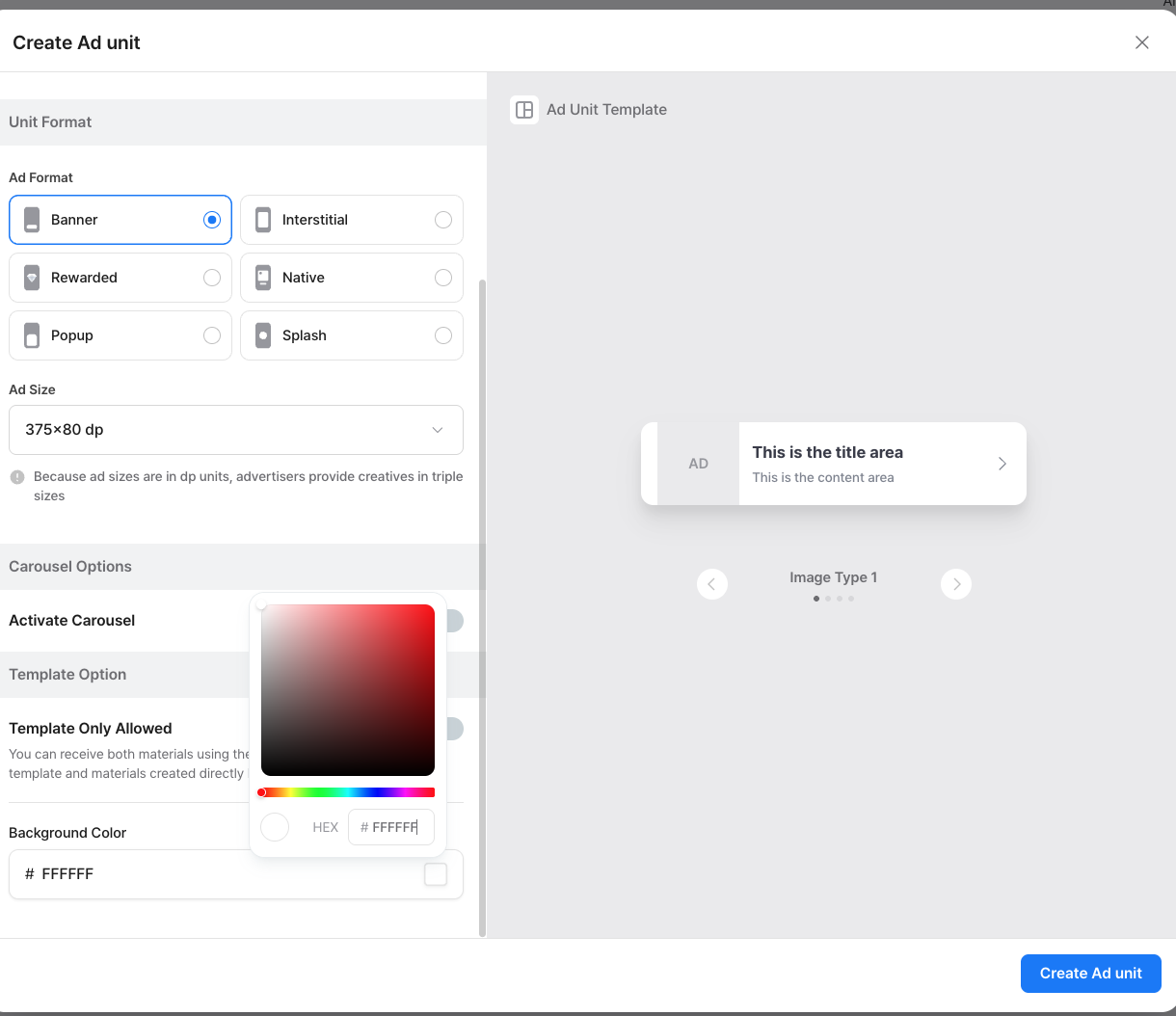
5. if **you want to limit them to use only your specified template**, you can **turn on the 'Template Only Allowed' setting**.
6. **You can also choose a background color for your ad unit!**
7. **When you’re done, click Create Ad Unit at the bottom right.**

<figure><img src="https://1229048154-files.gitbook.io/~/files/v0/b/gitbook-x-prod.appspot.com/o/spaces%2FdbXqzAGZzRMkuFk2wG7Q%2Fuploads%2FvPCxagAuEuDOE6xlzEzu%2FScreenshot%202025-08-01%20at%206.20.19%E2%80%AFPM.png?alt=media&#x26;token=12192b23-f5f0-4cd9-9f98-7de34fd01448" alt=""><figcaption></figcaption></figure>

### Ad Unit ID

**The Ad Unit ID is a unique code that allows your app or website to display ads from this specific ad unit. Once it’s created, the ID cannot be changed.**