# How to Cancell a Campaign
⚠ Canceling a campaign without the advertiser’s consent may lead to disputes. Always communicate thoroughly with the advertiser before canceling.App developers can cancel an active campaign.
* When canceling, you must enter the final billing amount.
* For campaigns using automatic payments, settlement will be based on this final amount:
* **Prepaid Amount – Final Billing Amount = Refund Amount**
### How to Cancel an Auto-Pay Campaign:
1. **Go to Booking and find the campaign in progress.**
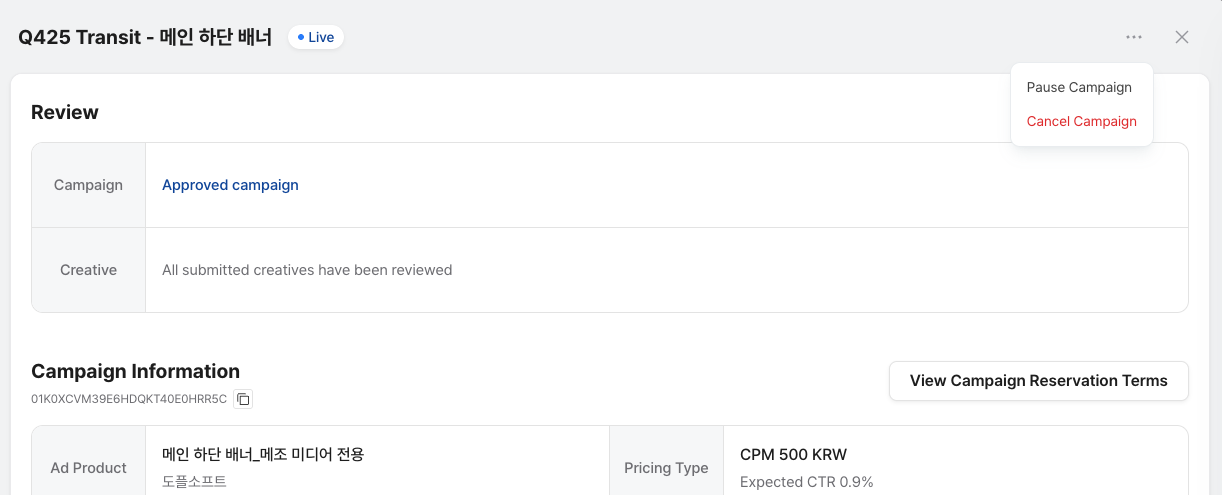
2. **Click the ⋯ icon, then choose Cancel Campaign.**
3. **Enter the campaign name and final billing amount:**
* **Click Cancel Campaign and enter the campaign name and final billing amount.**
* Enter the same campaign name under the “Cancel Campaign."
* Enter the final billing amount. This is the amount to be paid to you.\
(The rest will be refunded to the advertiser.)
(\*\*If you don’t enter the amount, the refund may not be processed properly.)
Note: **To fully cancel the campaign and refund the advertiser 100%, enter 0 KRW as the final billing amount.**
Make sure to align with the advertiser beforehand to avoid any disputes. You will need to confirm the tab "**I have confirmed the advertiser’s consent and the notice."**
4. Once you've entered all the required information, click **Cancel Campaign** to complete the cancellation.
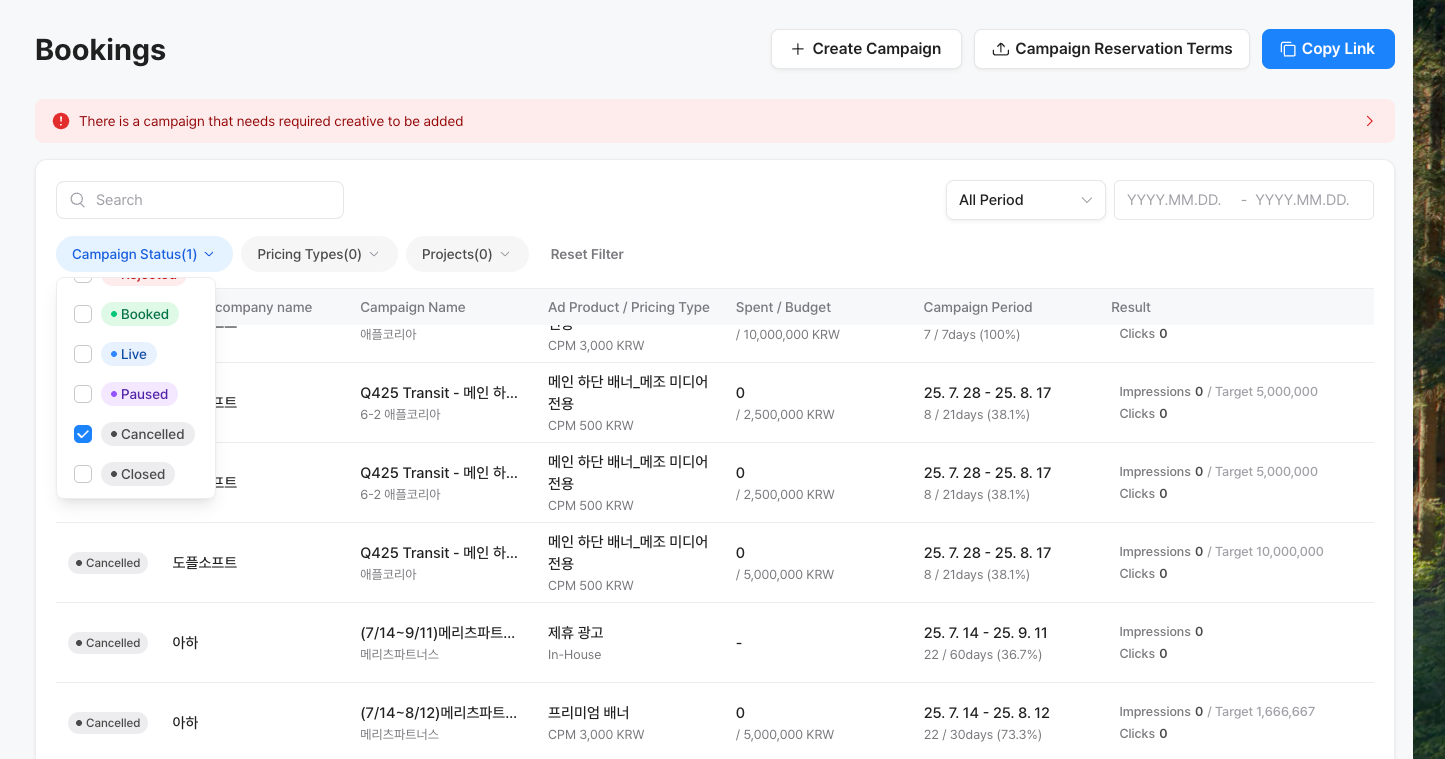
5. You can check the cancelled campaign in the **Booking** tab.