# Editing a Campaign
### How to Edit an Existing Campaign
**Edit Exposure Frequency Cap:** You can adjust the frequency cap for the campaign.\
By default, it follows the setting which was initially designed in the ad product.\
Be cautious because increasing the frequency cap may lead to a lower CTR.
**Steps:**
1. Go to the **Bookings** tab in the console and select the campaign you want to edit.
2. In the campaign details, click **Edit Exposure Frequency Cap.**
3. **Save After Editing Frequency Cap.**
### E**diting Daily Impressions Cap**
**Daily Quota:** For CPM and CPC ad products (excluding CPD), campaigns will stop serving once the total or daily quota (daily impressions for CPM, daily clicks for CPC) is exceeded.
To control delivery speed, adjust the daily quota. This helps you manage the campaign more smoothly within the total impression limit.
1. In the console, go to the **Bookings** tab and select the desired campaign.
2. Scroll down in the campaign details and click **Edit Daily Impression Cap** (for CPM campaigns).
3. **Choose Between 'Automatic Setting' and 'Manual Setting'**
* Selecting **Manual Setting** allows you to enter and control the daily quota yourself.
* Click **Save** to complete editing the daily impression quota.
**Automatic Setting:**\
Distributes the daily quota evenly over the entire campaign period. The daily quota is calculated by dividing the total campaign quota by the number of campaign days.
**Manual Setting:**\
Allows you to set the daily quota manually. However, if the total campaign quota is exceeded, ads will stop serving regardless of the daily quota.
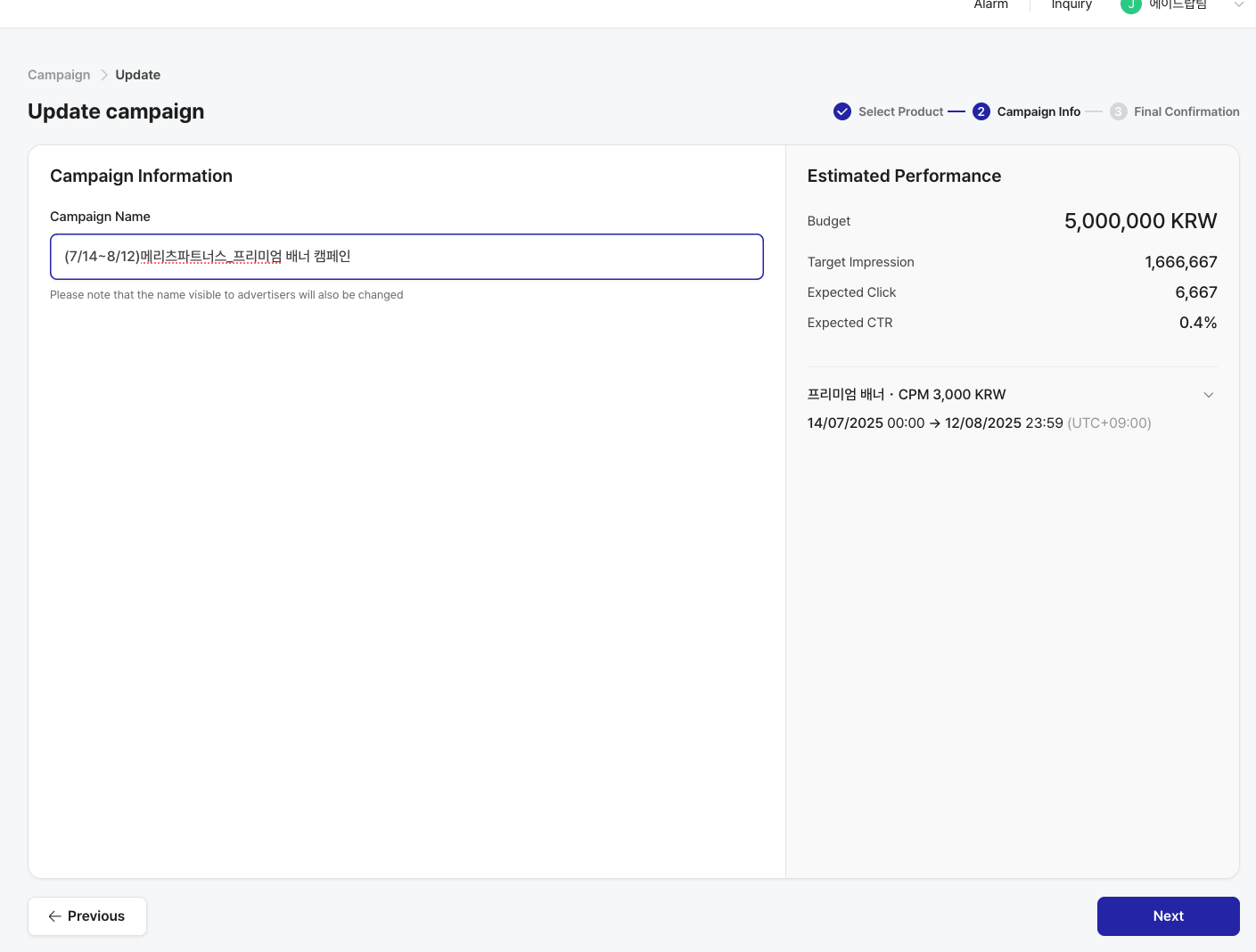
### H**ow to Edit Campaign Name**
You can edit the name of an existing campaign.
1. In the console, go to the **Bookings** tab and select the campaign you want to edit.
2. Click **Edit Campaign**.
3. Go to **Campaign Information** and change the campaign name and click **Next** for the final step.
4. Click **Save Changes** to complete editing the campaign name.