# Campaign Review

If a campaign’s start date has passed, it may take up to 5 minutes after approval for ads to actually start running.

You can **approve or reject** campaigns marked with the **“Submitted”** tag.

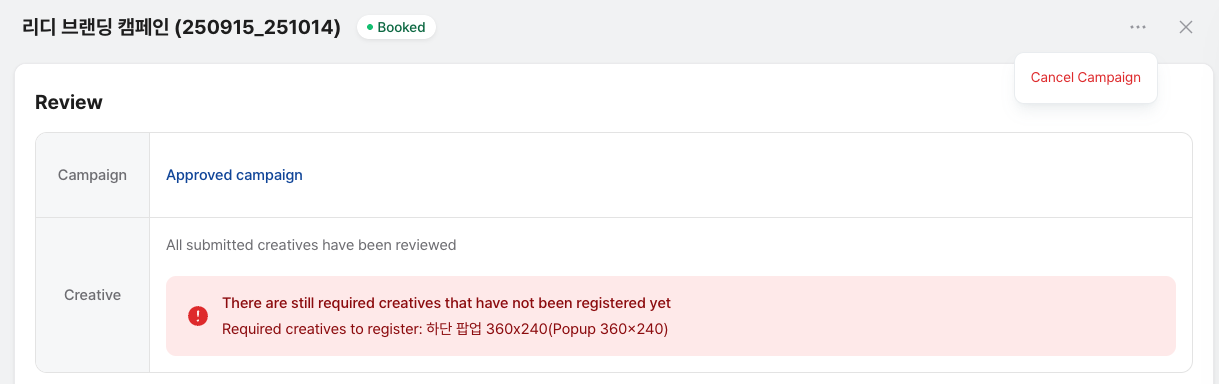
Performance badges will show which reviews are needed. Click these badges to review the campaign and its creatives.

Note: Ads will **not run unless both the campaign and all creatives are approved**.

<figure><img src="https://1229048154-files.gitbook.io/~/files/v0/b/gitbook-x-prod.appspot.com/o/spaces%2FdbXqzAGZzRMkuFk2wG7Q%2Fuploads%2FB3EU4sIh4VG7tepTNlmW%2FScreenshot%202025-08-04%20at%204.14.27%E2%80%AFPM.png?alt=media&#x26;token=eb66c296-4ed6-44a4-9e2f-11b47aeaa5dd" alt=""><figcaption></figcaption></figure>

### C**ampaign Approval**

* Once approved, the campaign goes live.
* Always check the **creative status** and make sure the campaign is ready to go live.&#x20;

1. When rejecting a campaign, select a reason. This reason will be shown to the advertiser, for example:

**a. Already Scheduled**: There is another campaign booked for the same period. Please adjust the schedule and resubmit.

**b. Brand Policy**: The campaign was rejected due to brand policy.

**Once approved, the campaign will proceed.**

### Important Notes:&#x20;

#### 1. Campaign Booking

* All ad accounts can book campaigns, including **same-day**

#### 2. Campaign Review

* **App developers must review campaigns** within **72 hours** or **before the start time**, whichever is earlier.
* If not reviewed in time, the campaign is **automatically rejected**.

#### 3. Auto-Rejection Rules

<table><thead><tr><th width="306.9833984375">Campaign Start vs Booking Time</th><th>Auto-Reject Time</th><th>Explanation</th></tr></thead><tbody><tr><td>Booking on the same day as campaign starts</td><td>Next day at 00:00 (midnight, KST)</td><td>If booked on the same day, review must be done by midnight the next day.</td></tr><tr><td>Campaign starts more than 72 hours after booking</td><td>At 00:00 (midnight) on campaign start day</td><td>If the campaign starts after 72 hours, review must be done by midnight on the start day.</td></tr><tr><td>Campaign starts within 72 hours after booking</td><td>72 hours after booking time</td><td>If the campaign starts within 72 hours, review must be done within 72 hours of booking.</td></tr></tbody></table>

#### 4. Creative Review

* Creatives must be reviewed within **48 hours** of registration.
* Campaigns won’t run unless **both campaign and creatives are approved**.

### How to Review Creatives

1. Please review the creatives submitted by the advertiser. Campaigns that need creative review will be marked with, **"Required Creatives."**
2. For creative review, **Click the creative marked as “Submitted.”**\
   You’ll be able to check all the details about the creative.
3. Make sure the **creative image** and **destination URL** are correct. You can click on the image to open the destination URL directly.
4. If all creative details are correct, click **Approve**.

   If there are any issues, you can **Reject** the creative.\
   To provide clear feedback, please select a **Rejection Reason** when rejecting a creative.

Note: You can still view approved or rejected creatives at the bottom of the campaign menu, even after the review is completed.
