# Report
### W**hat is a Report?**
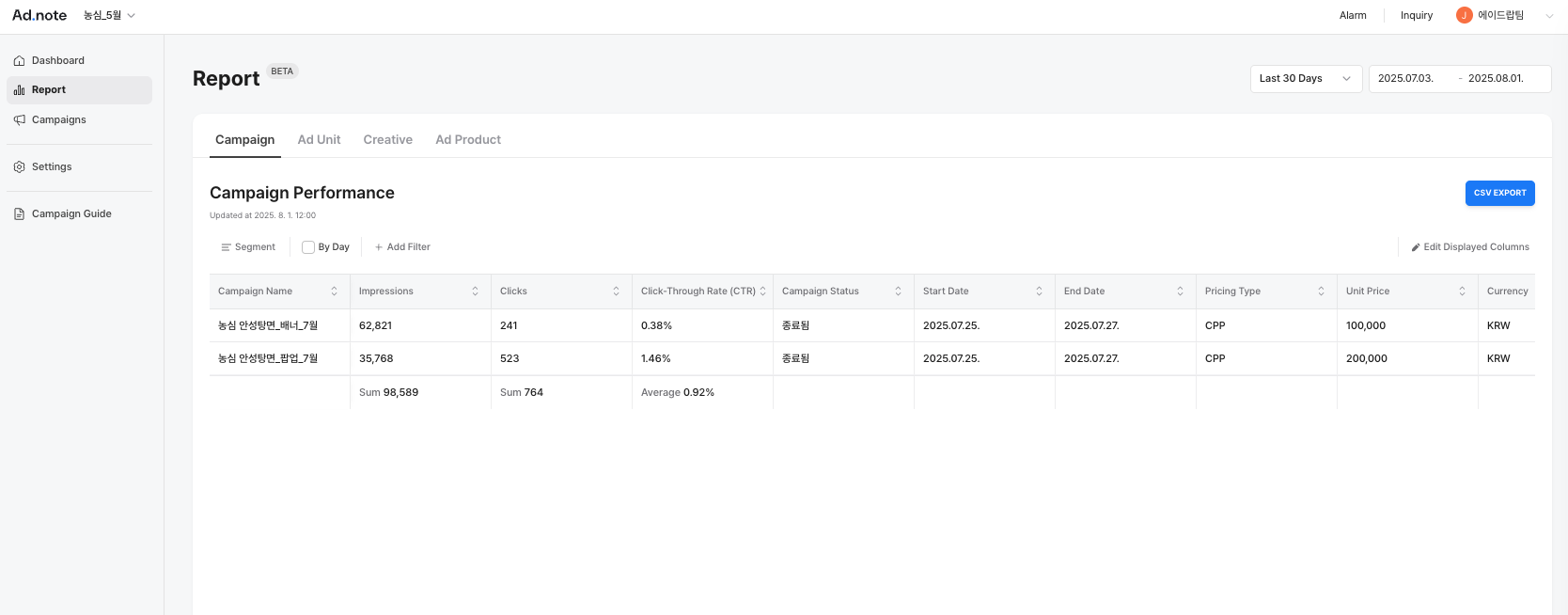
The Report tab allows you to view detailed performance data for your campaigns.
You can view and compare results either **by campaign** or **by creative**, helping you understand which strategies and assets are performing best.
These insights allow you to refine your strategies, improve underperforming creatives, and make better media decisions.
1. ### Campaign
**Segment:** You can break down campaign performance by **creative**. This allows you to compare metrics like impressions, clicks, and CTR across individual creatives within a single campaign.
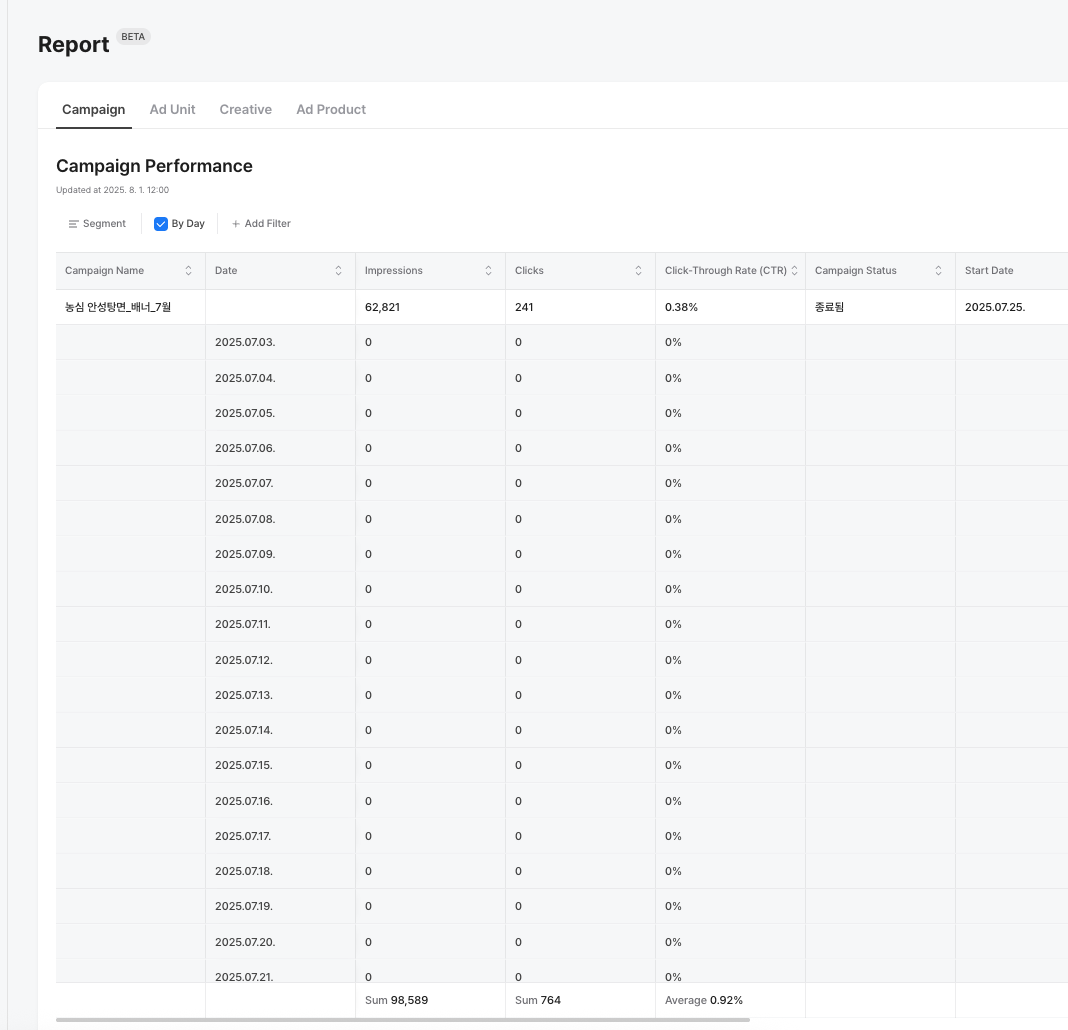
**By Day:** By toggling it, this will allow you view how **performance by creative** changes **daily**. This helps identify trends over time.
**+ Add Filters:** Use **Filter** to refine your view and analyze specific segments of data, such as
* **Creative** (name or ID)
* **Ad Product Name**
* **Creative Status** (e.g., active, paused, ended)
* **Start/End Date**
* **Pricing Type**
* **Unit Price**
* **Currency**
2. ### Creatives
You can view the performance data focused specifically on individual **creatives** across your campaigns. This helps advertisers analyze which creative assets are delivering results and which may need improvement.
**By Day:** Toggle this option to break down creative performance **by each day.**
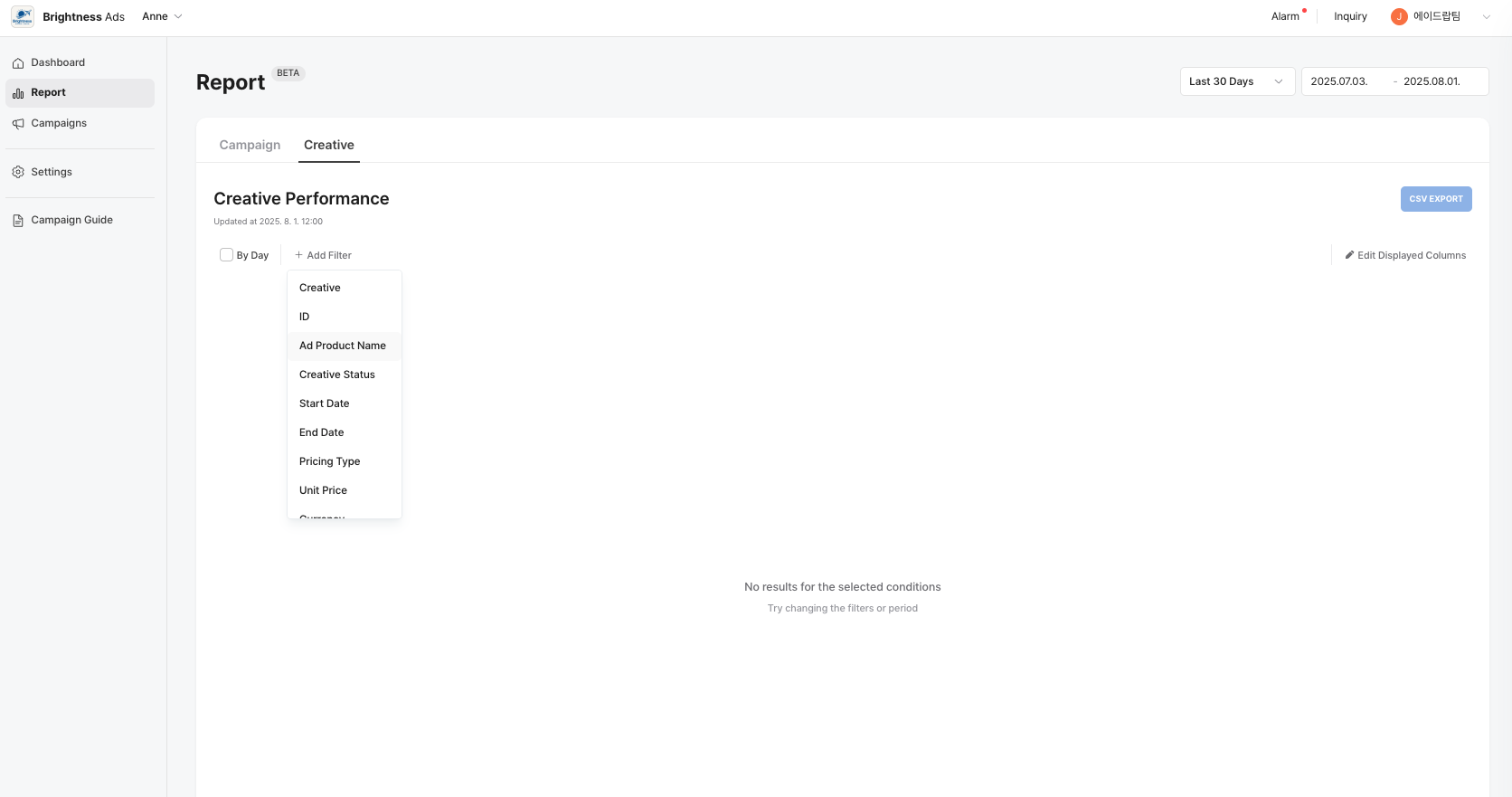
**+ Add Filters:** Narrow down your view using **detailed filters** such as:
* **Creative** (name or ID)
* **Ad Product Name**
* **Creative Status** (e.g., active, paused, ended)
* **Start/End Date**
* **Pricing Type**
* **Unit Price**
* **Currency**
This allows you to focus on customized reporting depending on what metrics or campaigns you want to focus on.